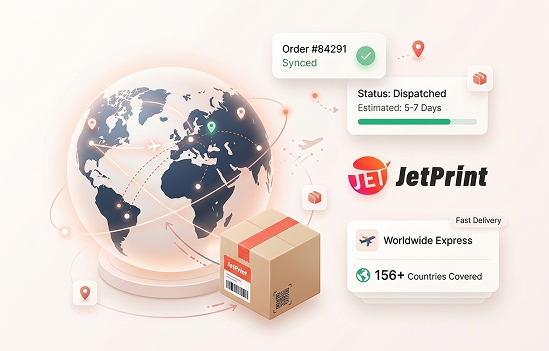
Five steps from picking a blank product to a customer receiving it, with JetPrint handling production and shipping.
Whether you are a beginner or an expert, these steps will help you use JetPrint's print on demand service faster and more effectively.

Print on demand fulfillment lets you sell custom products without holding stock: you list a design, a customer buys it, and JetPrint manufactures and ships that single order under your brand. JetPrint has run its own factory since 2017, so design, production and worldwide shipping all happen on one platform.
That single workflow is what separates print on demand from traditional manufacturing: no purchase order, no warehouse and no minimum quantity stand between your design and a paying customer. The same process covers everyday items and specialty categories, from custom watches and custom sneakers to stitched goods from the custom embroidery line. JetPrint only produces after a sale, and only the exact item that sold, so testing a new design never means buying inventory you might not sell. See how sellers rate the process on the Shopify App Store.
The workflow is the same whether you sell one hero design or run hundreds of SKUs across every connected store. Brand builders use it to test new merchandise every week without warehousing anything; gift and personalization sellers use the same five steps to sell one-off, made-to-order items with a customer's own name or photo. Both run on the same JetPrint account, the same store integrations and the same factory that has fulfilled orders since 2017.
Begin your print on demand journey in 5 easy steps, from picking a blank product to a customer receiving their order.
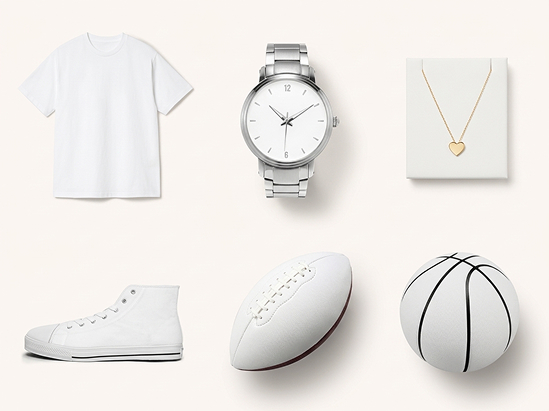
Enter the JetPrint app and choose from 706+ high-quality products, including watches, shoes, t-shirts and balls. Watches and balls are JetPrint's featured products right now.
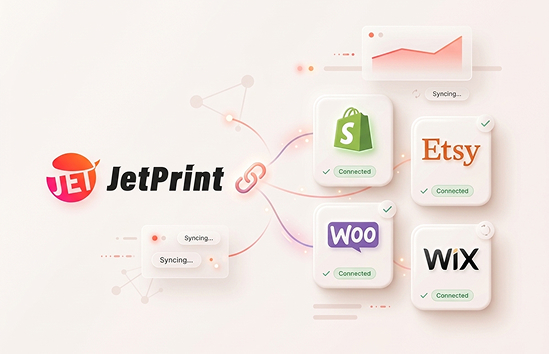
JetPrint integrates with e-commerce platforms including Shopify, Etsy, WooCommerce and Wix, so you can sell to millions of online shoppers. You can still freely use the app even if you have not connected a store.
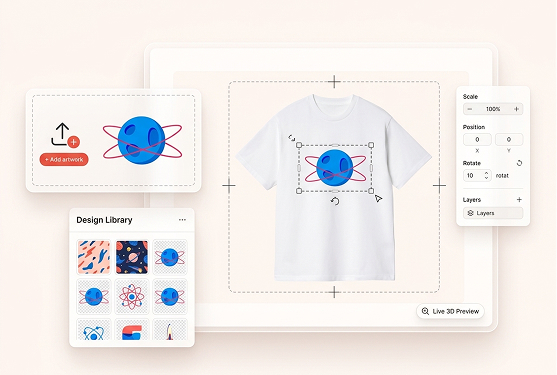
Upload your image and use the free mockup generator to see your design on the product in real time. You can adjust the size and position of the design until the placement looks right.
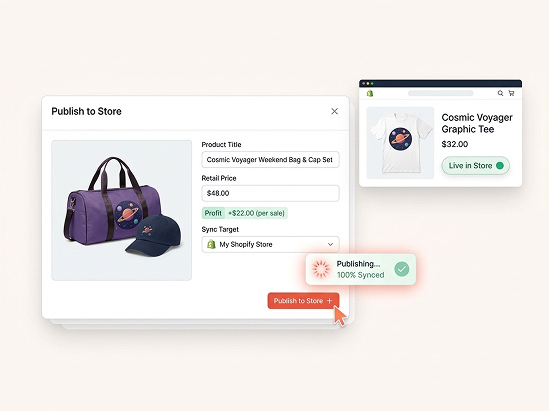
After confirming the design, click Submit to proceed. You can then edit the product title, description and retail price, and those changes sync straight to your connected store.
Promote the products you have designed. When a customer places an order, the order data syncs to JetPrint automatically: you pay only the product and shipping cost, and we handle production and worldwide shipping.
Connect one store or all four. Orders sync automatically once you are ready to publish; connecting a store is never required just to design and preview products. Selling on more than one platform does not multiply the work: every order, regardless of which store it came from, lands in the same JetPrint dashboard and follows the same five steps above.
Starting costs nothing, and JetPrint only gets paid once a product actually sells, whether that is your first sample or your thousandth order.
Creating a JetPrint account, browsing the catalog and building mockups is free, with no monthly subscription.
List one product or a hundred: there is no minimum quantity and no bulk requirement to get started.
JetPrint produces after a single sale, so testing ten designs costs exactly the same as testing one.
Every order is packed and shipped from JetPrint's own factory, running since 2017, and delivered worldwide under your own branding: no JetPrint logo or invoice inside, so the parcel looks like it shipped straight from your store. Read more about the company in our story.
No. You can explore the app, build mockups and design products for free before connecting anything. Connecting Shopify, Etsy, WooCommerce or Wix only matters once you are ready to publish a product for sale.
Starting a JetPrint account is free: no monthly fee, no minimum order and no upfront inventory. You only pay the product price and shipping once you or a customer places an order.
PNG or PDF works for most products. The free mockup generator previews your design on the product in real time, so you can check size and placement before you publish.
Orders sync from your store the moment a customer buys, then enter production in our own factory. Delivery time depends on the destination; we fulfill and deliver worldwide across 156 countries.
Yes. Title, description and retail price can be changed any time from the JetPrint app, and updates sync back to your connected store automatically.
Shopify, Etsy, WooCommerce and Wix. Orders placed on any of them sync to the JetPrint app automatically, so nothing has to be entered by hand.
Free to start. Connects Shopify, Etsy, WooCommerce and Wix. No minimums, no upfront inventory.
Start free