As a print-on-demand company, we couldn’t be more familiar with this technology; we see and use this printing process every single day. In this comprehensive guide, we’ll dive deep into what UV printing is, its core working principles, its pros and cons, and why it has become such a staple in the printing industry.
What is UV printing
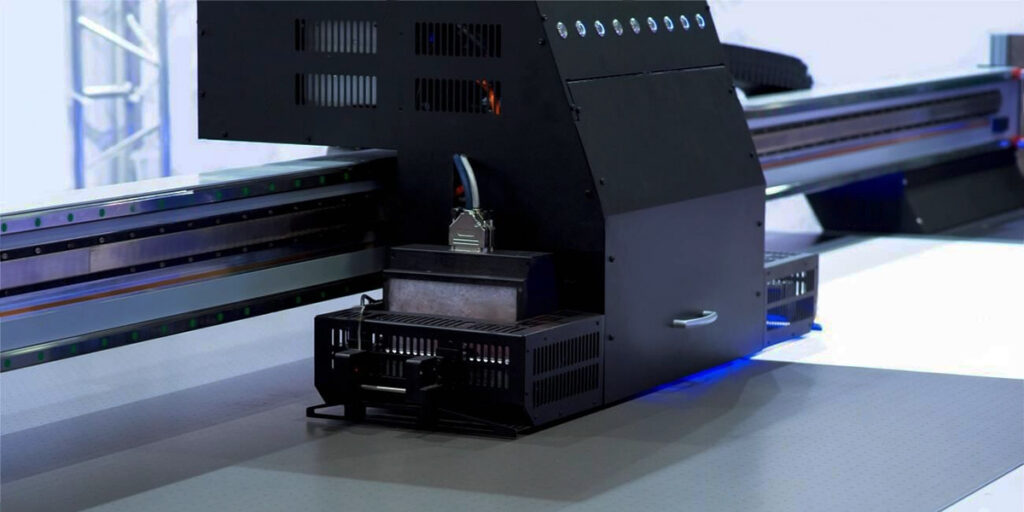
UV printing is an advanced digital printing technology that uses ultraviolet light to instantly cure (or dry) ink as soon as it hits the printing surface.
While traditional printing methods typically rely on heat or air drying to evaporate the solvents in the ink—such as thermal transfer, which uses heat to dry—UV printing is a photochemical process. Specialized UV inks contain “photoinitiators.” The second the ink touches the material, the printer hits it with high-intensity UV light. This triggers an instant chemical reaction, transforming the ink from a liquid into a durable, scratch-resistant solid in a fraction of a second. This means you can touch the printed design immediately after the product is finished printing.
Because the ink has absolutely no time to bleed or soak into the material, the resulting images feature incredibly crisp edges and highly saturated colors.
How does UV printing work
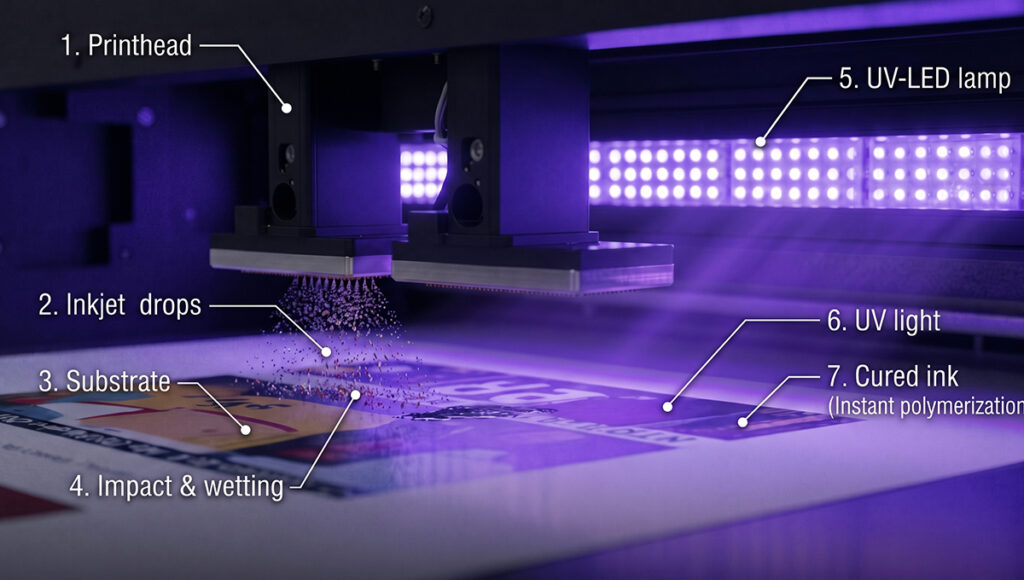
The magic of UV printing comes down to the perfect pairing of specialized inks and advanced lighting technology. Here is a look at the complete workflow:
Ink preparation: The printer uses specially formulated UV-curable inks (typically CMYK, plus white ink and a clear gloss or varnish). Unlike traditional solvent- or water-based inks, these stay completely liquid until they are exposed to ultraviolet light.
Inkjet deposition: High-precision printheads sweep across the material (the substrate), precisely laying down microscopic drops of UV ink to create the desired image.
Instant UV-LED curing: High-intensity UV LED lights are usually mounted right next to the printheads. Within a fraction of a second of the ink hitting the surface, it is exposed to the UV light. Photoinitiators in the ink absorb the light, instantly triggering a polymerization reaction.
Final result: The ink hardens instantly and bonds firmly to the material. Because modern UV printers use cool UV-LED technology rather than traditional mercury lamps, they generate very little heat. This allows them to print directly onto heat-sensitive materials, like thin plastics, without causing them to warp or melt.
Pros and cons of UV printing
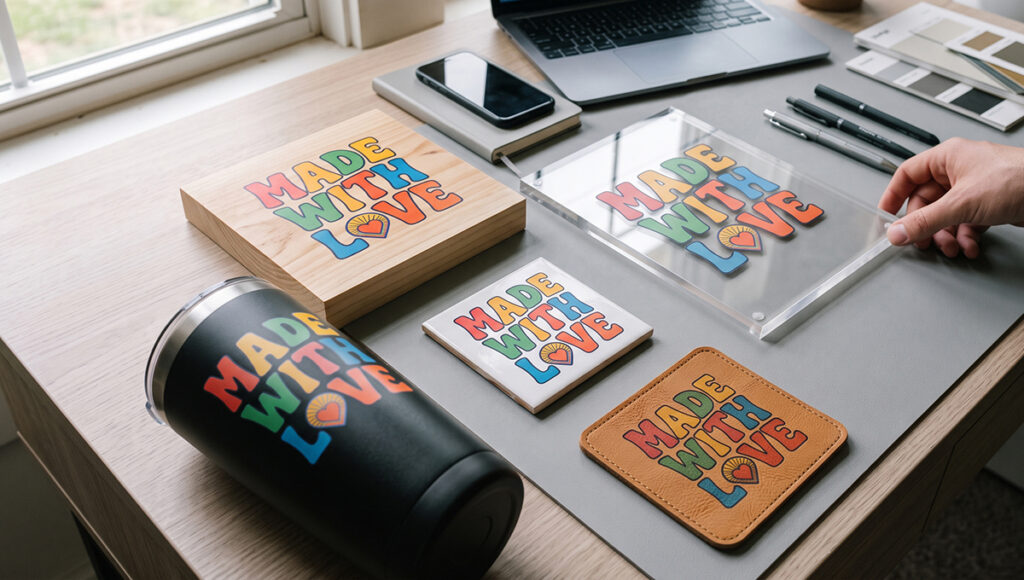
Like any technology, UV printing comes with its own set of pros and cons. Before you invest in UV equipment or custom products, here’s what you need to know:
Pros of UV printing
Versatility: This is arguably its biggest selling point. Because the ink cures instantly on the surface rather than soaking into the material, you can print on practically any rigid or flexible substrate: plastic, glass, metal, wood, ceramic, leather, or even acrylic.
Exceptional print quality and precision: The ink doesn’t bleed, meaning fine details are preserved perfectly. Colors pop beautifully, making it easy to achieve photo-realistic gradients.
Incredible efficiency and time savings: The “drying time” bottleneck is completely eliminated from the production process. The moment a product comes off the print bed, it’s ready to be packed, shipped, or cut.
Outstanding durability: Once cured, UV ink forms a tough polymer film on the surface. It’s naturally scratch-resistant, fade-resistant, and moisture-proof, making it incredibly durable.
Eco-friendly: Traditional solvent-based inks release high levels of Volatile Organic Compounds (VOCs) into the air as they evaporate, which requires heavy-duty ventilation. In contrast, UV ink converts 100% to a solid state with almost zero VOC emissions, making it a much safer and greener alternative.
Cons of UV printing
High upfront costs: Industrial UV flatbed printers and specialized UV inks are significantly more expensive than standard inkjet or screen-printing setups, which can be a steep financial barrier for small startups.
Surface adhesion challenges: While it can print on almost anything, ultra-smooth or highly reflective surfaces (like untreated glass or certain bare metals) often require a specialized primer or adhesion promoter before printing to ensure the ink bonds permanently.
Pricier consumables: The cost per liter of UV ink is generally higher than that of traditional water-based or solvent-based inks.
Steep learning curve: UV printers aren’t just “plug and play.” Looking just at file prep, our production team has to convert files to a TIFF format and set up a dedicated white ink channel (which is practically mandatory for printing on dark products). And that’s before factoring in the hands-on training time required for operators to actually run the machines.
Color calibration management: Variables like different ink batches, printhead heights, and even ambient room humidity can cause color shifts. These shifts are especially noticeable in lighter shades—for instance, what looks like a perfect beige on a computer monitor might print out with a yellowish tint. Because of this, our engineers have to proactively calibrate the colors before production. Typically, whenever the production team notices a color discrepancy, the engineers have to run tests and tweak the ink ratios to get it dialed in perfectly.
UV printing vs. Traditional methods
How does UV printing stack up against older, more established printing techniques? Here is a quick comparison:
| Feature | UV printing | Screen printing | Sublimation |
| Setup time | Very fast | Slow (Requires creating physical screens) | Medium (Print to transfer paper, then heat press) |
| Best for | Short-to-medium runs, high detail, varied materials | Large volume runs of 1-3 colors | Polyester fabrics, coated ceramics |
| Material range | Excellent (Wood, metal, glass, plastic, leather) | Good (Paper, fabric, some plastics) | Limited (Polyester fabrics or specially coated blanks) |
| Drying time | Instant | Hours to days | Instant (post-heat press) |
| Color complexity | Photographic quality, unlimited colors | Limited (each color requires a new screen) | Photographic quality |
Best use cases for UV printing
The versatility of UV printing has created highly profitable niche markets across various industries:
Custom tech accessories: Phone cases, laptop covers, and power banks.
Promotional products: Footballs, basketballs, custom pens, and stainless steel tumblers.
Home decor & art: Acrylic plaques, custom ceramic Christmas ornaments, and premium canvas prints.
Fashion accessories: Vegan leather bags, compact mirrors, and brooches.
How long do UV prints last?
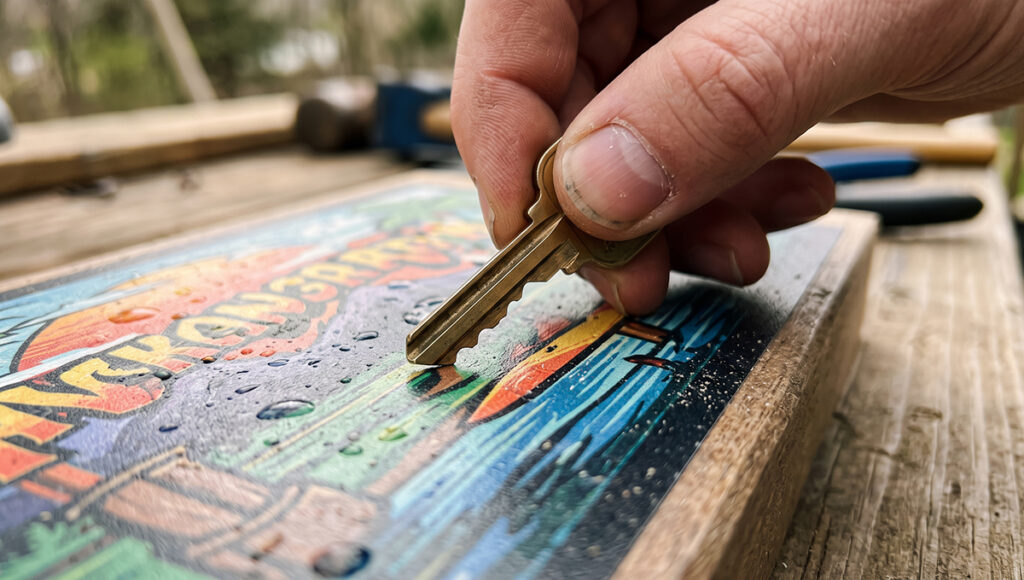
One of the most common questions people have is about print durability. Overall, UV printing is incredibly durable:
Indoor use: When kept indoors and out of constant direct sunlight, UV prints can easily last 5 to 10 years or more without noticeable fading or degradation.
Outdoor use: Even when exposed to the elements—like wind, rain, and UV radiation—prints generally maintain their high-quality appearance for 2 to 5 years.
How to extend print lifespan?
To maximize the lifespan of a print (especially for outdoor signage), manufacturers often apply a clear, UV-resistant varnish as a topcoat over the design. Additionally, applying a primer before printing on difficult materials, like glass, prevents the ink from peeling or flaking off over time.
FAQ
Can a UV printer print on dark or black materials?
Absolutely! The printer lays down a solid white base layer first and then prints the color ink (CMYK) on top. This ensures the colors pop and stay vibrant, even on solid black acrylic or dark wood.
Is UV ink toxic?
Once the ink is fully cured by the UV light, it turns into a safe, non-toxic plastic polymer. However, while it’s still in its liquid, uncured state, operators should avoid direct skin contact to prevent allergic reactions. It emits almost zero VOCs during printing, so the air quality around the machine remains safe.
Is UV printing waterproof?
Yes. Because the curing process turns the ink into a tough, plastic-like film, UV prints are naturally waterproof and highly moisture-resistant. This makes the process perfect for custom drinkware and outdoor signage.
What's the difference between modern UV LED printing and older UV printing?
Early UV printers used mercury vapor lamps to cure the ink. Those lamps consumed a ton of power and got extremely hot, which could easily melt or warp materials like thin plastics. Today’s UV LED printers use energy-efficient LED arrays. Because they act as a cold light source, they generate very little heat, last for tens of thousands of hours, and make it completely possible to print on a wide variety of heat-sensitive materials.
What is a UV dtf printer?
UV DTF printers combine UV technology with the flexibility of transfer printing. Instead of printing directly onto an object, the design is first printed onto an adhesive-backed film. A transfer film is then laminated over the printed side, and finally, it is applied to the object just like a sticker.
0 Comments